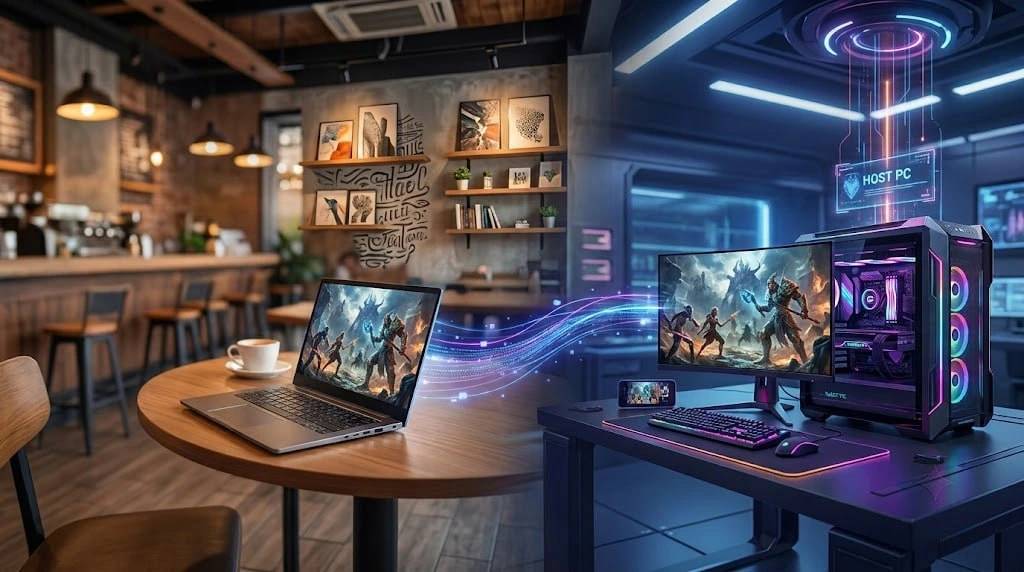
What is skyPC?
skyPC is remote desktop software. Built by a team of Vietnamese engineers, skyPC runs on its own core technology, including a proprietary transport protocol and dedicated drivers for virtual display, peripherals, and audio. This lets the system optimize response speed to the max, delivering a remote work and gaming experience that feels as real as sitting right in front of your own computer.
A powerful PC that only works if you're sitting in front of it
You invest in a high-spec PC for gaming or heavy work like video editing, coding, or rendering. The problem: that PC only shows its power when you're sitting right in front of it. On a business trip, back home in the countryside, at the office, or simply in your bedroom instead of your PC room — you're stuck with a laptop again.
skyPC turns your powerful PC into something you can take with you, wherever you are.
How does skyPC work?
skyPC was built for gaming and tasks that demand maximum smoothness, not just for viewing a screen remotely like ordinary office tools. Using it takes two steps:
- Install the skyPC app on your powerful PC at home (host): this machine does the actual work — gaming, rendering, running heavy software.
- Install the skyPC app on the device you're carrying (client): a work laptop, phone, tablet, or any internet-connected device. You control the PC at home directly through the client.
Video, audio, mouse, and keyboard input are streamed back and forth in real time. The PC at home does all the heavy lifting; the device in your hands is just a screen and a controller.
What can you do with skyPC?
- Play AAA games from a thin-and-light laptop or even a phone, tapping into the power of your gaming PC at home.
- Work remotely with heavy software: video editing, high-resolution photo editing, running dev tools, or building projects that need a powerful setup.
- Access your personal computer on a business trip without carrying a desktop or a dedicated laptop.
In upcoming posts, we'll dive deeper into each of these use cases, along with real numbers on latency and image quality, plus setup guides to get the best experience.
How to get started
skyPC is currently in beta, free for early sign-ups. If you have a powerful PC that sits idle most of the day, now's the time to put it to work — wherever you are.
Download and install skyPC at: theskypc.com/download